

How to Cancel ChatGPT Subscription
If you no longer need premium features, learning how to cancel ChatGPT subscription is essential to avoid unwanted charges. This guide provides a clear, step-by-step process for cancelling across different devices along with important billing insights.
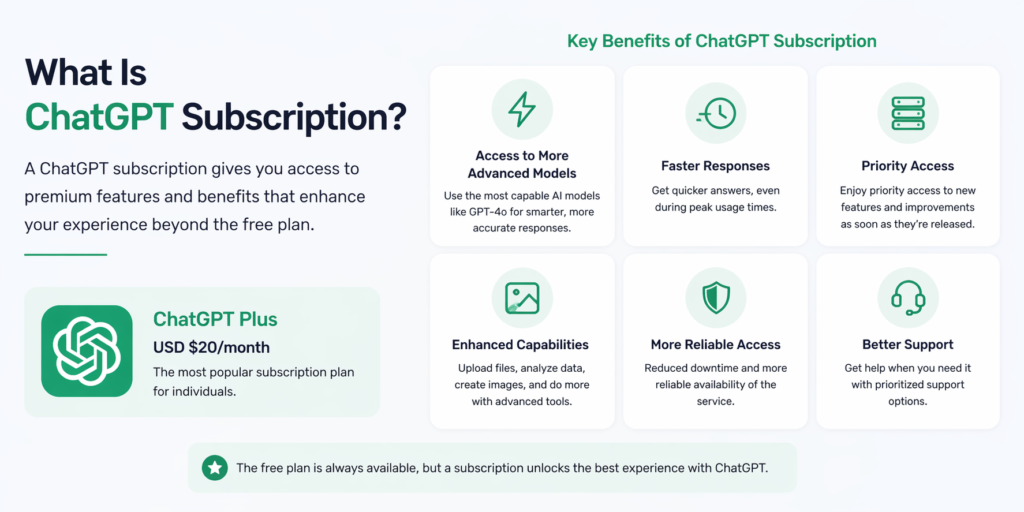
What Is ChatGPT Subscription
ChatGPT offers paid plans that unlock advanced features.
Overview of Paid Plans
- Access to faster responses
- Priority access to new features
- Enhanced performance
Why Users Cancel
- Budget considerations
- Reduced usage
- Exploring alternative tools
How to Cancel ChatGPT Subscription on Web
The easiest way to cancel is through your browser.
Step by Step Process
- Log in to your ChatGPT account
- Click on your profile icon
- Open Settings
- Go to My Plan or Billing
- Click Manage Subscription
- Select Cancel Subscription
- Confirm cancellation
Important Notes
- Cancellation takes effect at the end of the billing cycle
- You will still have access until the subscription expires
How to Cancel on Mobile Devices
The process depends on your device.
iPhone Cancellation
- Open Settings on your iPhone
- Tap your Apple ID
- Select Subscriptions
- Find ChatGPT
- Tap Cancel Subscription
Android Cancellation
- Open Google Play Store
- Tap your profile icon
- Select Payments and Subscriptions
- Tap Subscriptions
- Choose ChatGPT
- Tap Cancel Subscription
Billing and Refund Policies
Understanding billing prevents confusion.
Subscription Billing Cycle
- Charged monthly or annually
- Renewed automatically unless canceled
Refund Eligibility
- Refunds depend on platform policies
- Apple and Google handle mobile refunds
- Web subscriptions follow OpenAI policies
Common Issues When Cancelling
Some users face challenges during cancellation.
Unable to Find Cancel Option
- Ensure you are logged into the correct account
- Check if subscription is active
Subscription Still Active
- Cancellation applies after billing period ends
- Verify confirmation email
Tips Before Cancelling
Consider these steps before ending your subscription.
Backup Data
- Save important conversations
- Export necessary information
Evaluate Alternatives
- Check free plan options
- Compare other AI tools
Alternatives to ChatGPT Subscription
There are other options available.
Free Plans
- Basic ChatGPT access
- Limited features but useful for simple tasks
Other AI Tools
- AI writing assistants
- Productivity-focused platforms
- Research and automation tools
Frequently Asked Questions
1. How do I cancel ChatGPT subscription
You can cancel through account settings on web or via app store subscriptions on mobile.
2. Will I get a refund after cancellation
Refunds depend on the platform and billing terms.
3. Can I use ChatGPT after cancelling
Yes, until the end of your billing cycle.
4. Why can’t I see the cancel option
You may be logged into the wrong account or using a different billing platform.
5. How long does cancellation take
It is immediate, but access continues until the billing period ends.
6. Can I resubscribe later
Yes, you can subscribe again at any time.
If you want to manage your expenses and subscriptions effectively, take control of your account settings today. Review your usage, cancel when necessary, and choose the plan that best fits your needs while maintaining flexibility and control over your digital tools.
